Search
Find it by what it says, not what it's called
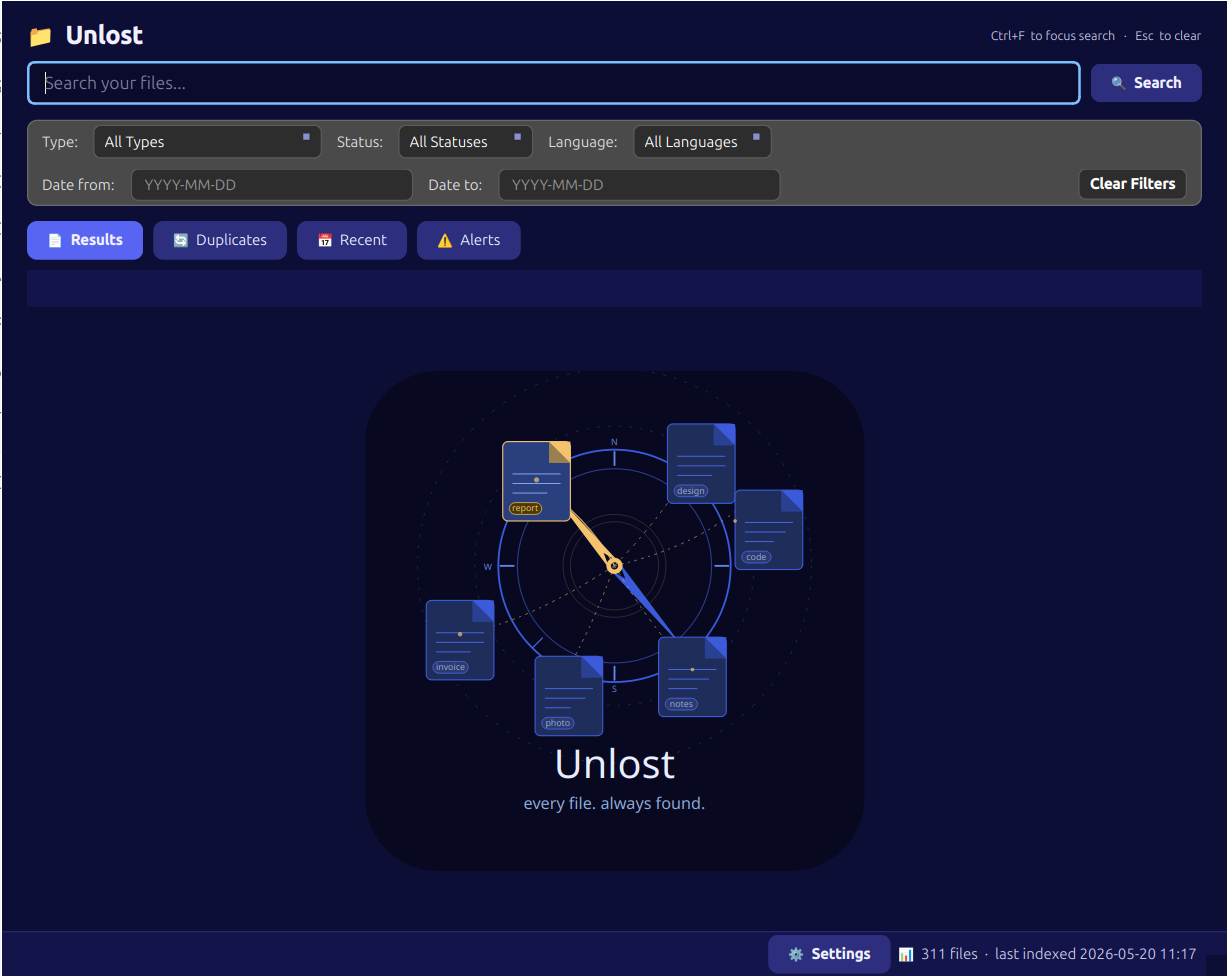
You don't remember the filename — you remember what was in it. Type a name, a company, an amount, a rough date, and Unlost searches the contents of your files, not just what you called them.
Personal file indexer for Windows & Linux
You know the file exists — you just can't remember what you named it, which folder it's in, or which app it's buried in. Ordinary search can't help, because it only reads filenames.
Unlost reads what's actually inside: a local AI model looks at the words in your PDFs, scans, photos, and other popular file types, the same way you would.
Describe what you remember — a name, a company, a rough date — and it finds the file itself. All of it runs on your own machine; nothing you own is ever uploaded.

Search
You don't remember the filename — you remember what was in it. Type a name, a company, an amount, a rough date, and Unlost searches the contents of your files, not just what you called them.
Extract
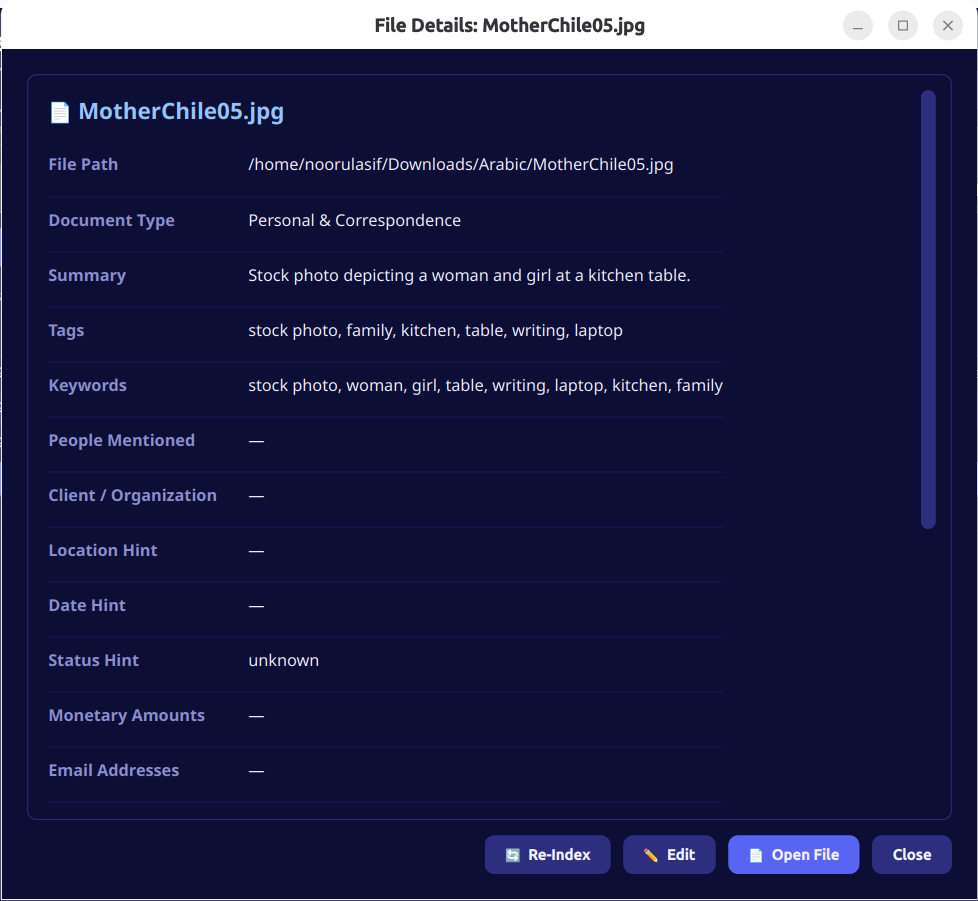
Scans, handwritten notes, photographed receipts — normal search is blind to all of it. A local AI model reads the words inside PDFs, scans, photos, and other popular file types, the same way you would.
Privacy
Cloud search means uploading everything you own to someone else's server. Unlost doesn't: every model, every index entry, every search happens on-device — no cloud calls, no accounts, nothing uploaded. That's not a setting, it's how it's built.
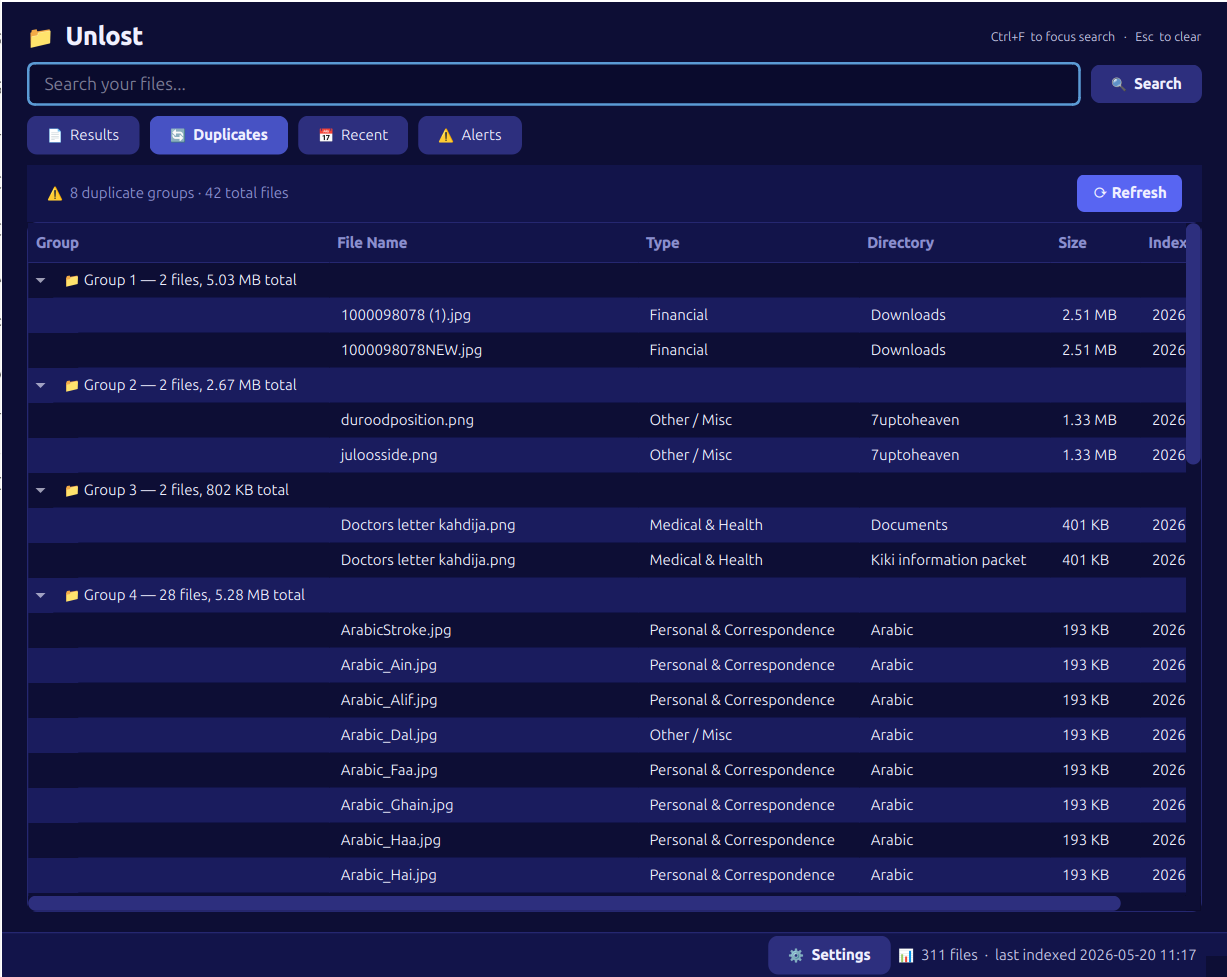
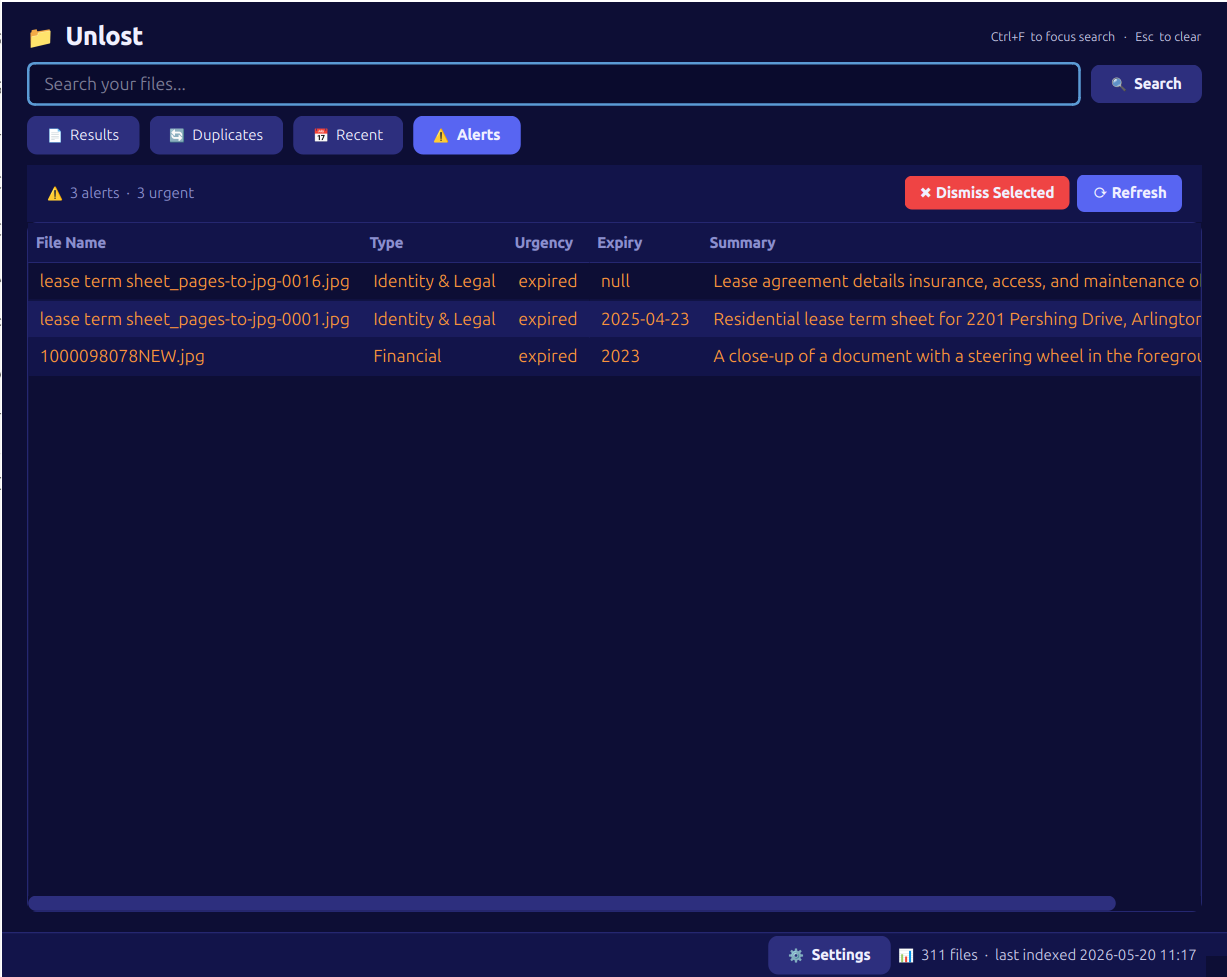
Inside the app
Documentation
Handing an app access to your documents, scans, and photos isn't a small ask — and most privacy policies are written to be skimmed, not read. You're left trusting a company you can't see inside of.
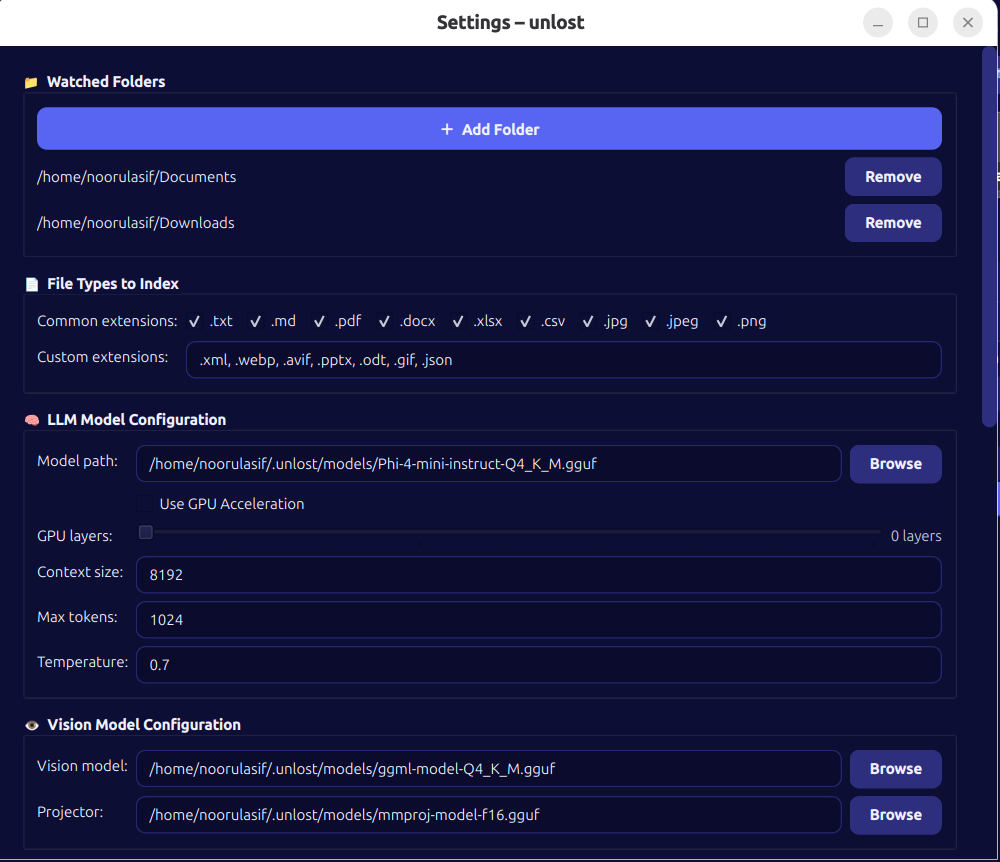
Unlost's user guide is the opposite: a full walkthrough of what gets indexed, how the on-device AI model works, every setting explained, and exactly where your data lives on disk — down to the config files. If we make a claim, the guide is where you can go check it.
Read the user guideStay in the loop
No spam, no marketing lists — just an email when a new build of Unlost ships. Unsubscribe anytime.
Free for Windows and Linux. No account, no cloud, no catch.
Read the user guide →